How it works, a quick overview
1. Create a Course
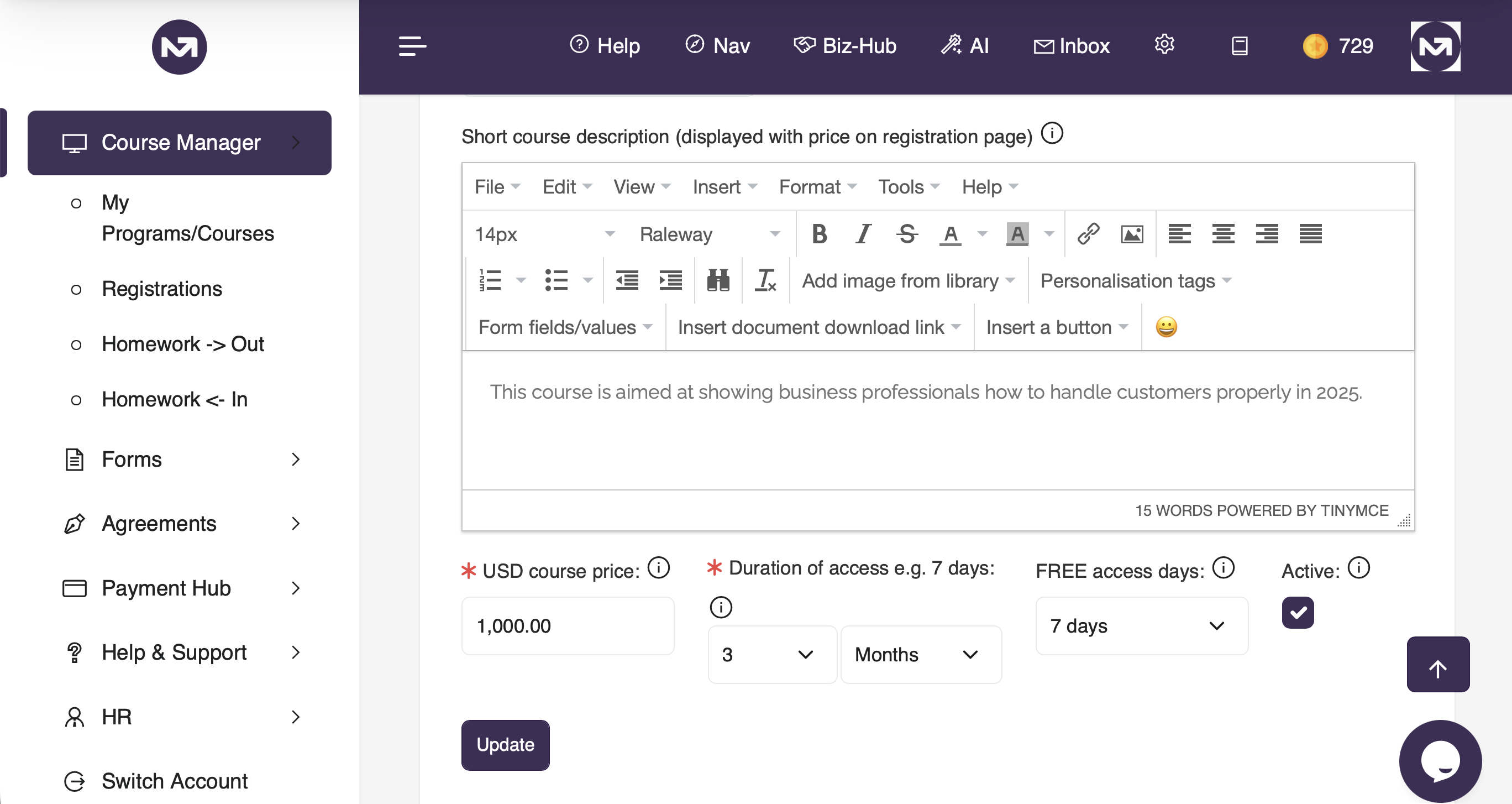
From the main menu, go to Course Manager > My Programs/Courses and click the + button to create a new course. Give it a title, description, price, and duration of access. You can also set a registration expiry date and toggle the course as Active when you are ready for learners to access it via the portal.
2. Add Modules and Content
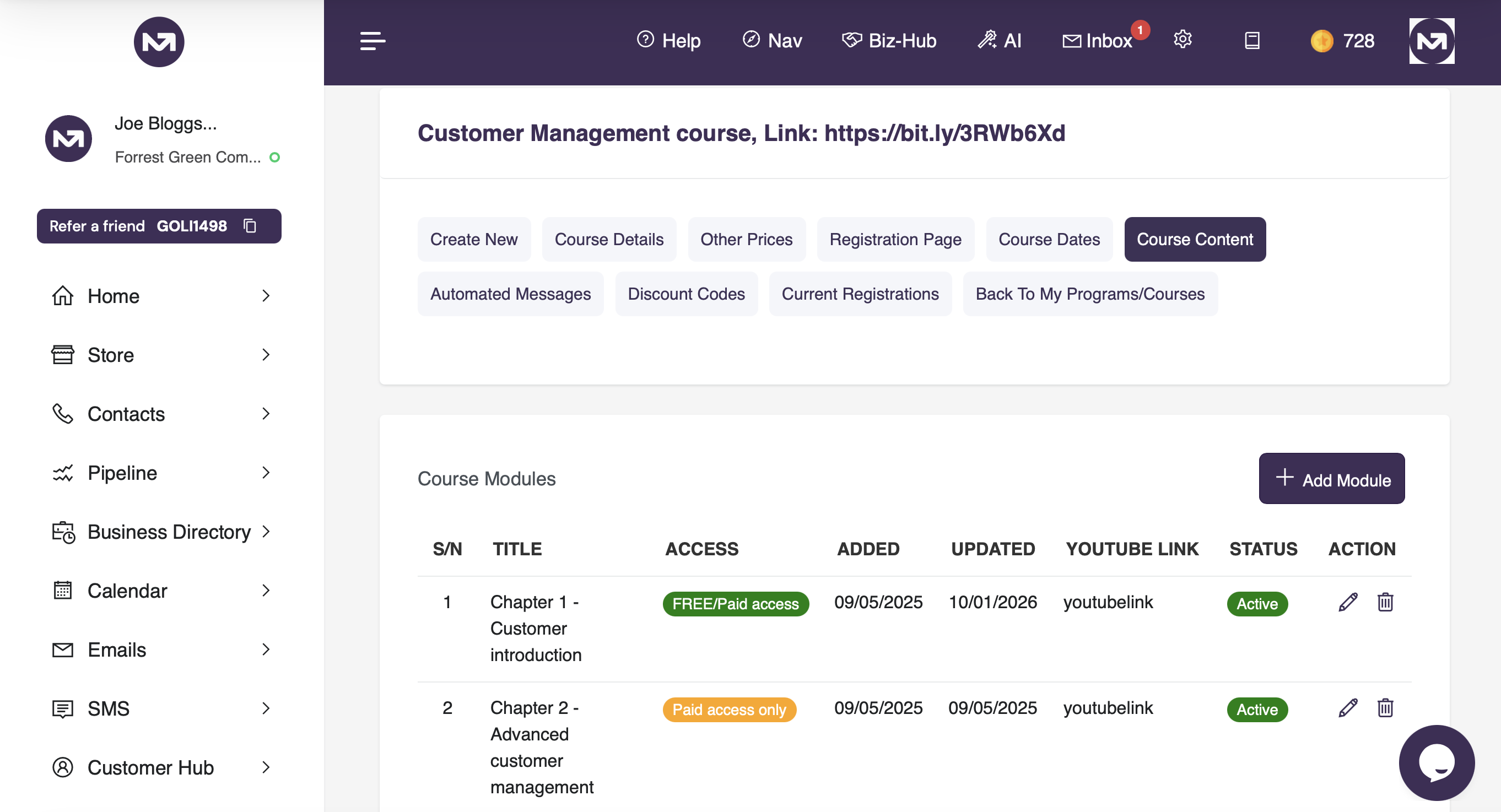
Once your course is created, go to the Modules/Content tab in the course sub-navigation. Here you add the modules that make up your course. Each module has a title and content body. You can also attach a YouTube video to any module by pasting in the video URL. Modules are displayed to learners in the order you set, and each module must be marked as complete before the learner can progress to the next.
3. Add Quizzes to Modules
From the Quizzes tab, you can attach a quiz to any module. Each quiz has a title, a pass mark percentage, and a set of questions. Questions can be single choice (one correct answer) or multi-choice (all correct options must be selected). You can add as many options per question as needed and flag the correct answer(s).
Each question also has two optional feedback fields: one shown when the learner answers correctly, and one shown when they answer incorrectly. These are displayed to the learner immediately after they submit each answer, before they move on to the next question. If you leave them blank, no feedback message is shown.
You can also enable Randomise Questions on a quiz, which presents the questions in a different order each time the quiz is taken. This is useful for discouraging learners from simply memorising answer sequences.
When a quiz is attached to a module, the learner must pass it before they can mark that module as complete. If they fail, they can retake the quiz immediately. Admins can preview any quiz before publishing it to learners.
How learners experience a quiz
When a learner starts a quiz, they see one question at a time. Once they select their answer and click Submit, their answer is locked in and cannot be changed. If feedback has been configured, it is shown immediately alongside whether they answered correctly or not. They then click Continue to move to the next question. After the final question, they see a full results screen showing their score, which questions they got right or wrong, the correct answers for any they missed, and any feedback messages. If they passed, they can mark the module as complete from the results screen.
4. Set Up Cohorts (Optional)
If your course runs in scheduled intakes, you can set up cohorts from the Cohorts tab within a course. Each cohort has a name and a start date. When a learner registers through the store, they can select which cohort they are joining. Only cohorts with a future start date are available for selection, so past cohorts are automatically excluded.
5. Set a Minimum Certificate Wait Period (Optional)
If your course has a minimum duration requirement — for example, a two-week program — you can set a Min. days before certificate value on the course details page. Enter the number of days a learner must wait from their personal course start date before their certificate becomes available.
Set this to 0 for immediate availability on completion. When a wait period is set, learners who complete all modules will see a message in the portal telling them the exact date their certificate will be ready. Admins can always download or email a certificate regardless of this setting.
6. Configure Shop Settings
From the Shop Settings tab within a course, you can configure two things:
- Auto-Fulfillment Email — an email automatically sent to the learner when their registration invoice is marked as paid. Use this to deliver a welcome message, access instructions, or any resources they need to get started. You can toggle auto-send on or off.
- Custom Fields — additional questions shown to the learner at checkout, for example experience level, dietary requirements, or company name. Fields can be text, text area, single choice, multi-choice, or file upload, and can be set as required or optional.
From the Discount Codes tab, you can create discount codes scoped to a specific course. Each code has a value (fixed amount or percentage), a validity window, and a usage limit. Learners can apply the code at checkout in the store.
8. Register Learners
Learners can self-register through the public course registration page — share the course URL from the top of the course page. Admins can also register learners manually from the Current Registrations tab. Once registered, the learner is given access to the course in their member portal for the duration you have configured.
9. Learners Complete the Course
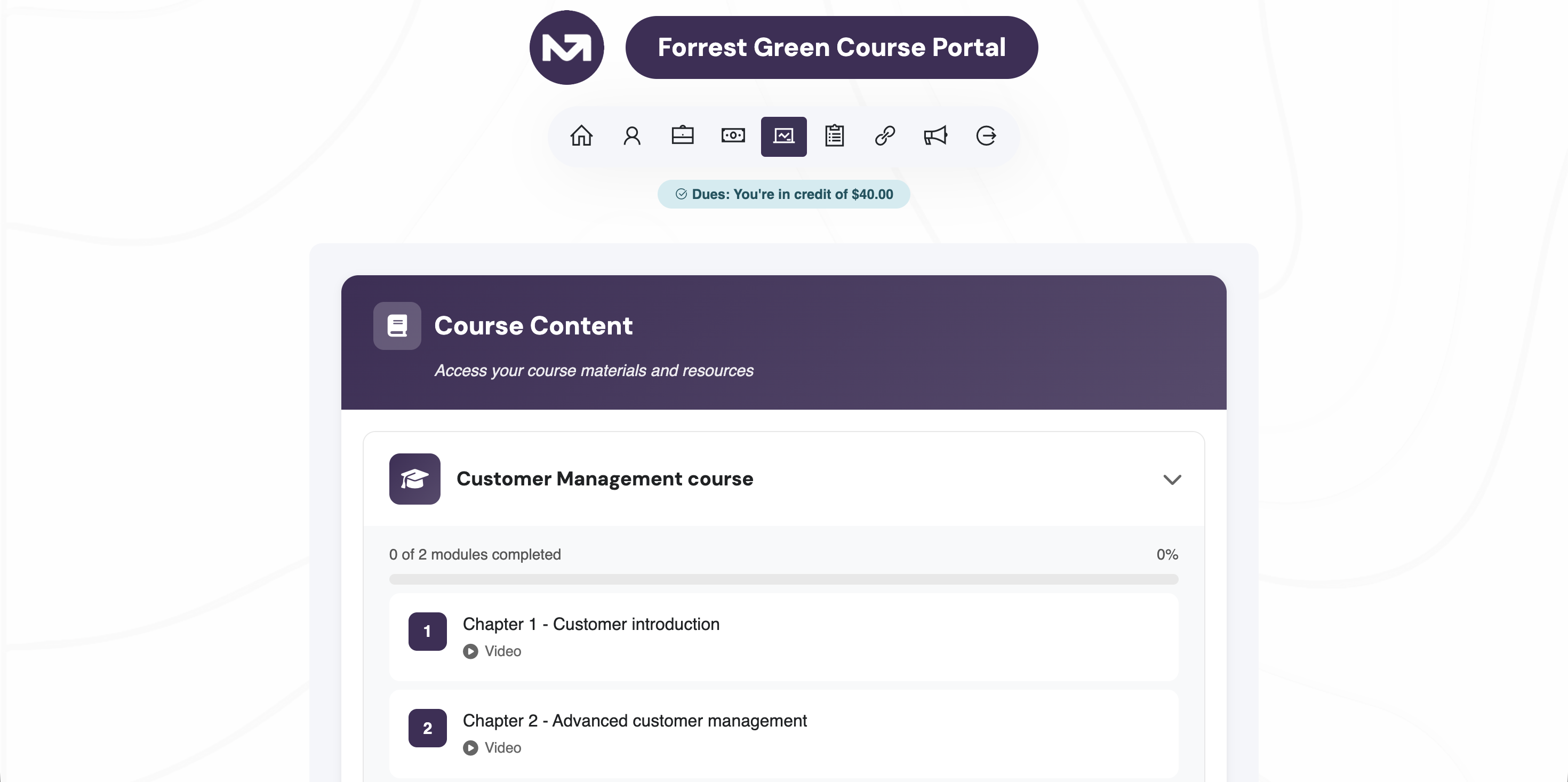
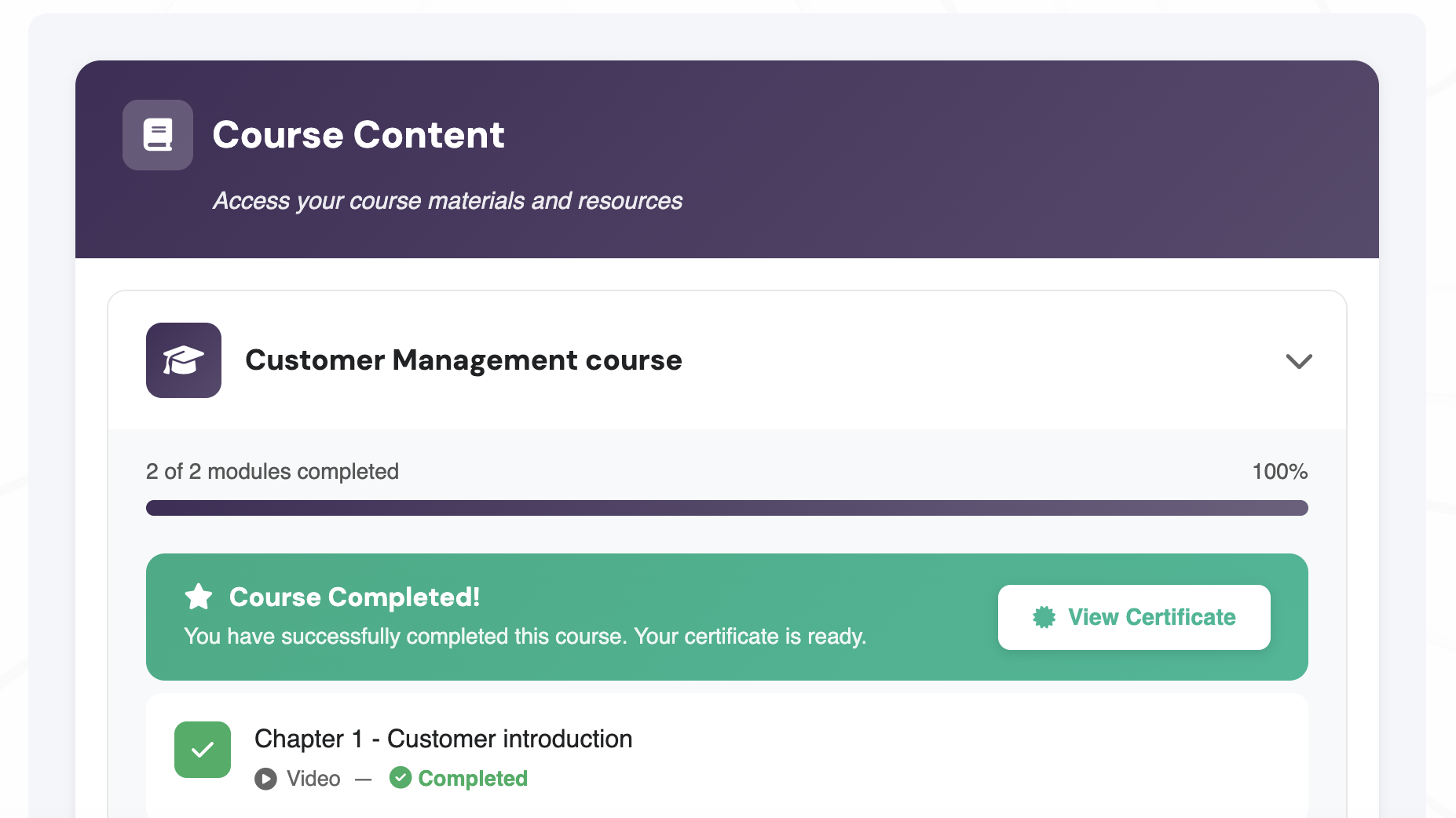
Learners log into the member portal, work through each module in order, and mark each one as complete. If a module has a quiz, they must pass it first. Once all modules are completed (and any certificate wait period has elapsed), the certificate becomes available in the portal for the learner to download.
10. Certificates
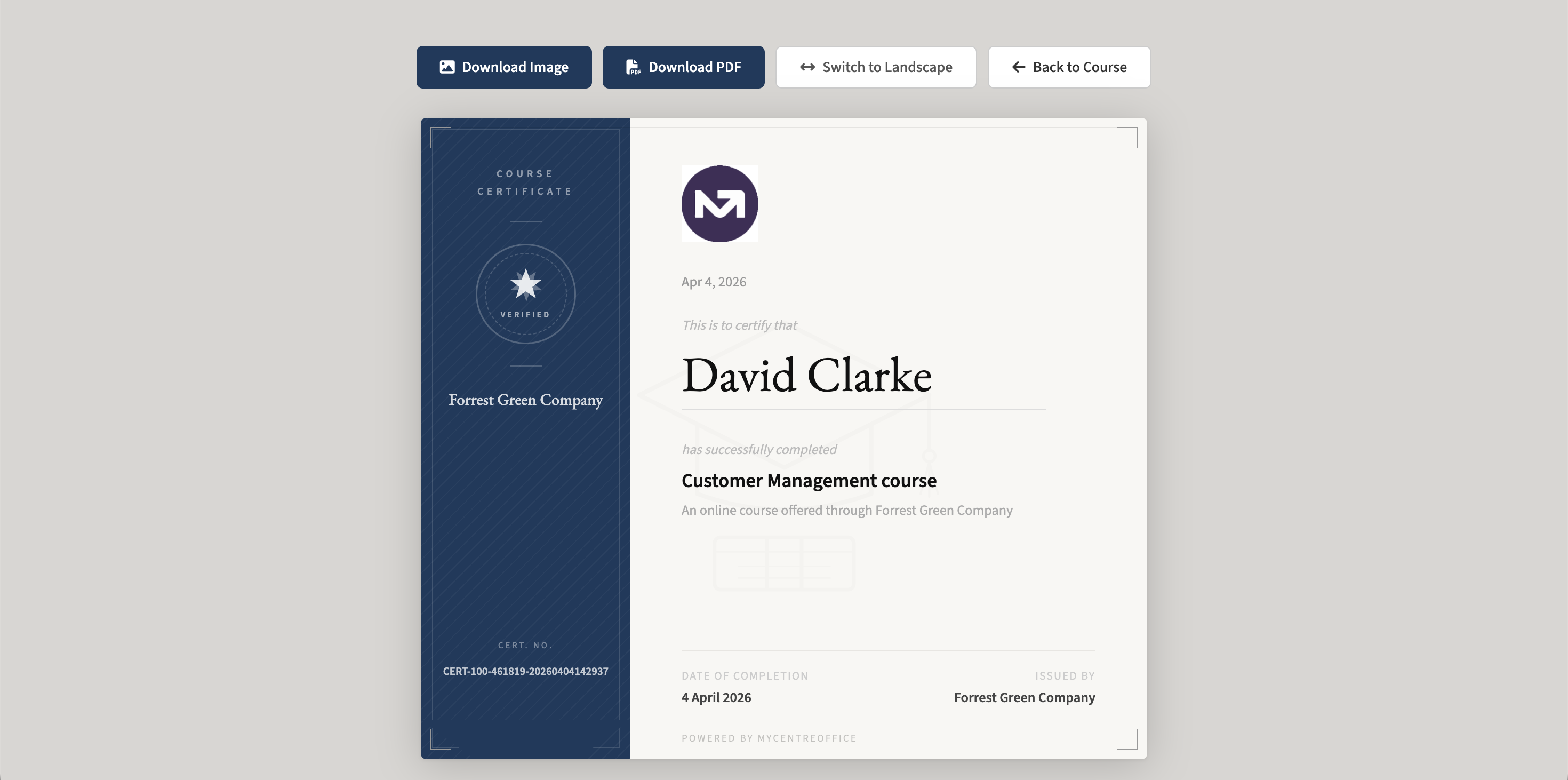
Certificates are generated automatically when a learner completes all modules. If a minimum wait period is configured, the certificate button in the portal is replaced with a message showing the exact date it will be available — the certificate record is still created immediately in the background.
Admins can download or email a certificate at any time from the Current Registrations tab, regardless of any wait period. This serves as an admin override when needed.
11. Track Progress with Insights
The Insights section is accessible from the main Course Manager menu or from the Insights tab within any individual course.
The overview page shows key metrics across all your courses — total registrations, active learners, completions, overall completion rate, quiz pass rate, and certificates issued — alongside a 12-month registrations chart and a course breakdown table. From the breakdown table you can drill into any individual course.
The per-course insights page shows registration trends, a module completion funnel (showing exactly where learners drop off), quiz performance per module, and a full searchable learner table with status, progress, quiz attempts, and certificate status. Both the overview and per-course views can be exported as CSV files.
12. Automated Messages
From the Automated Messages tab, you can configure emails that are sent automatically at key points in the learner journey — for example, a welcome email on registration, a reminder before access expires, or a congratulations email on completion. These run in the background without any manual intervention.
13. Sell Courses Through the Store
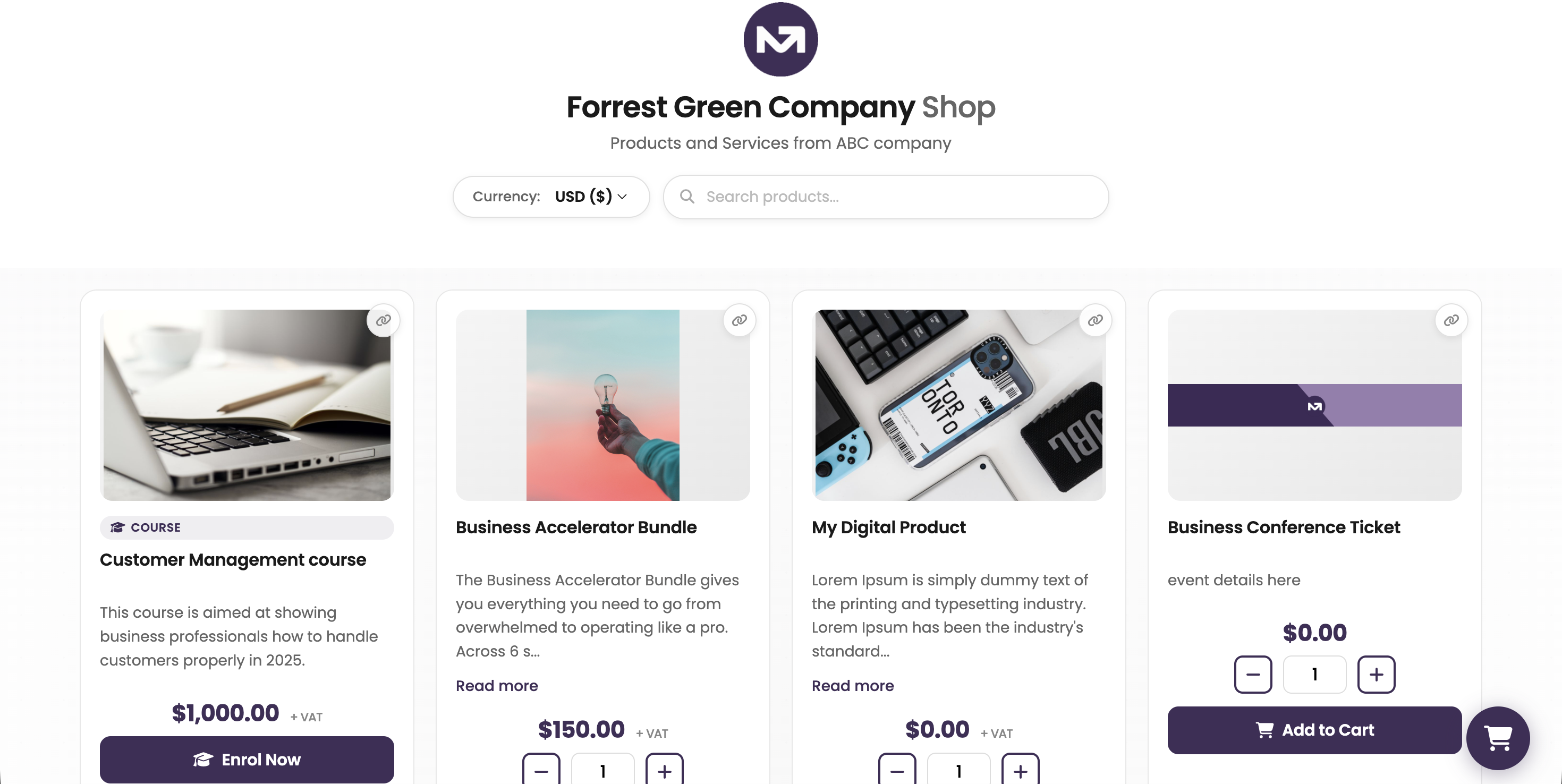
Courses with Active status and a price can be added to your MyCo store. In the store, course cards display a Course badge and an Enrol Now button. When a customer clicks on a course card, the quick view shows the full list of course modules so they can see exactly what they are signing up for before enrolling. If the course has cohorts, the learner selects their preferred intake at checkout before completing registration.
Course Manager : create, deliver, and track learning — all within MyCo