
The Homework Portal allows students to receive assignment/homework from their tutor, submit completed homework and view their tutor's comments/feedback online, using a PC or mobile device. If you are a student/parent, your tutor will provide you with a link to access the homework portal. If you have not received it, please request for it from your tutor.
How can Students Access their Work Tasks?
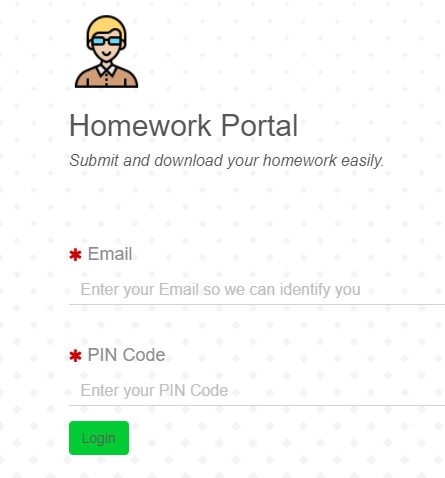
Students will access work tasks assigned to them via the Portal. You will need to logon to the portal with your email address and a 4-digit PIN code. Please ask your tutor for your PIN code if you don't have it yet.
After logging onto the portal, students will be able to view their allocated work tasks, and upload their submissions.
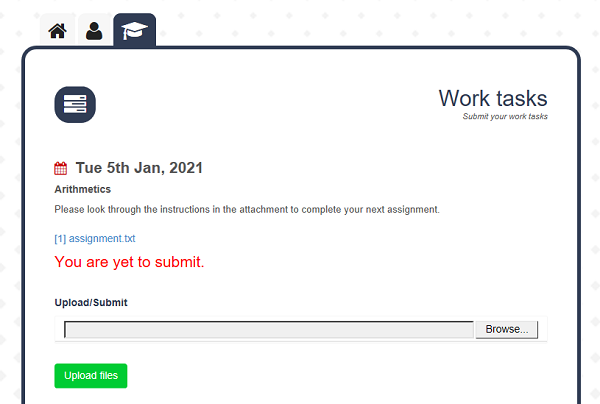
How Can a Student Submit their Homework?
If a student is yet to submit a homework, it will be clearly stated in RED as shown in the screen shot below. The student simply needs to click/tap on the 'Upload files' button to submit their homework.
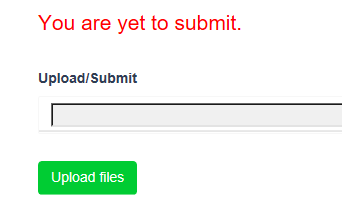
After the homework has been submitted and the tutor has provided comments, the comments will become visible on the same screen.