Sending a single email is great, but nurturing a relationship requires consistency. Why manually send individual follow-ups when you can automate the entire journey?
An Email Funnel allows you to stay top-of-mind by delivering the right message at exactly the right interval, based on how your contacts engage with you.
By using automated sequences, you ensure that no lead falls through the cracks. Whether you are welcoming a new member or re-engaging an old lead, MyCo handles the timing so you can focus on your business.
For example, Company ABC wants to set up an onboarding sequence:
Step 1: Send a Welcome Email immediately.
Step 2: Send "Pro Tips" 3 days later.
Step 3: Send a "Check-in" 7 days later—but only if they opened the previous email!
Steps
Using the example above, here is how to create an automated funnel and set up your multi-step sequence.
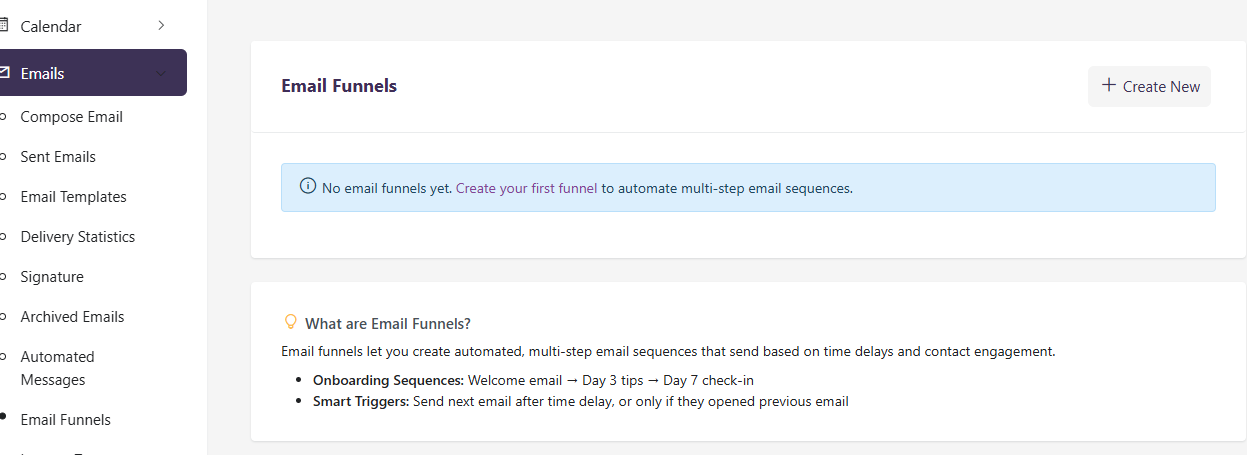
1) Navigate to Menu > Emails > Email Funnels and click the button to create a New Funnel.
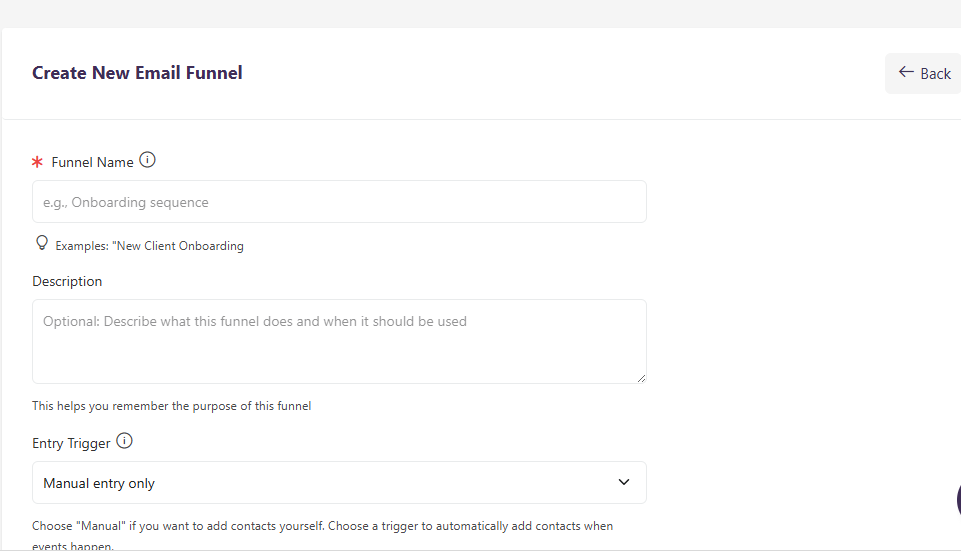
2) Give your funnel a name (e.g., "New Member Onboarding") so you can easily track its performance later
3) Define your Entry Trigger. This is the "Start" button for your funnel. You might choose "Manual" or "When a form is submitted."
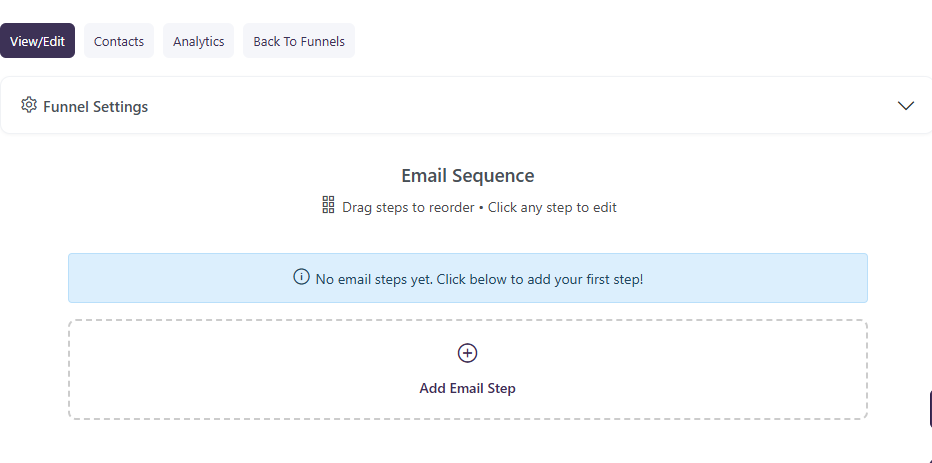
4) Create your First Email Step (Under Email Sequence):
- Select " Add Email Step "
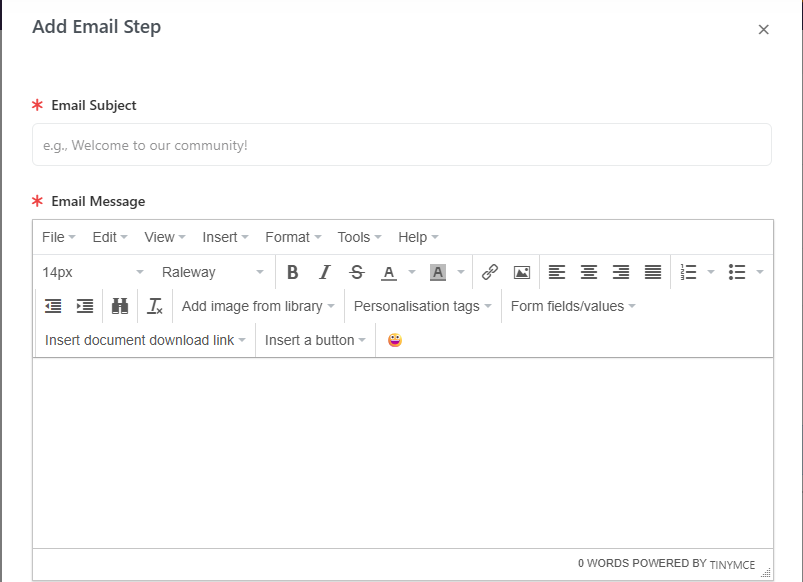
- Type your Subject and Message
- Set the Email Trigger ( You can select ‘Time Only’ or ‘Time + Open’ )
- Set the Delay to "Immediate” or the Select number of days
- Select the " Send Time "
- Click " Add Step" to save.
5) Continue adding steps until your sequence is complete. You can add as many steps as needed to guide your contact toward your goal.
6) Once you are happy with the flow, toggle the funnel to Activate. .
Example of Automated Funnels
Below are a few examples of how to set up your funnel logic for maximum impact.
Example 1 — Standard Time Delay ( Welcome Email)
Action: Send Email
Delay: 2 Days
Result: Every contact in the funnel receives this email exactly 48 hours after they joined your platform.
Example 2 — Engagement-Based Trigger (The "Warm Lead" approach)
Condition: If "Previous Email" was Opened
Action: Send "Special Discount" Email
Result: This ensures you are only sending promotional offers to people who are actively reading your content.
Example 3 — Long-term Nurture
Delay: 30 Days
Action: Send "Monthly Roundup"
Result: Keep your brand in front of the customer once a month automatically.
Monitoring your Funnel
Once active, you can view the Funnel Analytics at the bottom of the page. This shows you exactly how many people are currently at each stage of the sequence and your overall open/click rates for the entire journey.