Rather than using a different application/software for email marketing, MyCo provides you with a simple email interface through which you can send an email to any group of your contacts.
You can access the Emails menu via Menu > Emails.
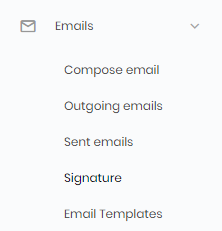
Image - The Emails menu
The user interface is very simple, and very standard. All you need do is enter an email subject, type the message body, and follow the instructions to add recipients.
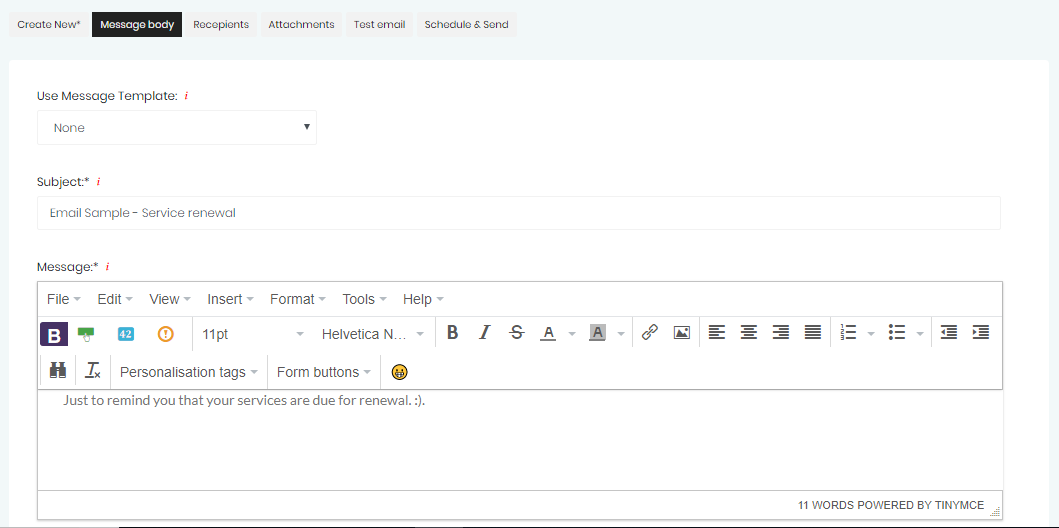
Image - User interface for composing a new email
These emails can also be scheduled for a desired date a time, so that your message recipients receive the email exactly when you want them to get it.
MYCO's email feature brings personalisation into communication. Using the personalisation tags, you can easily personalise content. e.g. 'Dear {{firstname}}' will address each recipient by their first name in your email.
We also track email delivery as well. This means that all outgoing emails are tracked, allowing you to easily check who has opened your email.
One of the questions asked by users is if MYCO's email service is linked to your business email. MYCO uses the services of a trusted 3rd party to deliver emails to your recipients. Although the services of a 3rd party are used, emails sent to your recipients will always display your email address and name, allowing replies to be sent directly to your business email address.